


Jigsaw Puzzles - HD Adventure
4.8153.00 Reviews
App Specs
- Version
- 1.2.5
- Updated On
- License
- Free
- Downloads
- 500,000+
- Developer
- Greyfun Games
- Categories
- Trivia
- Platform
- Android
Screenshots
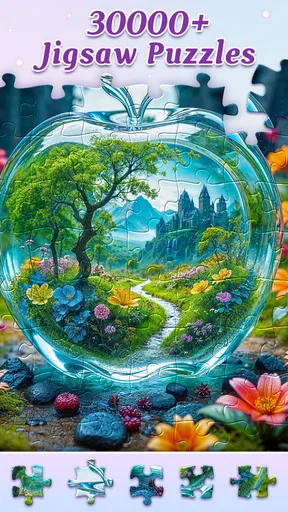
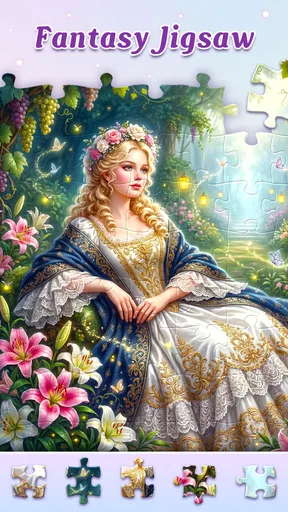
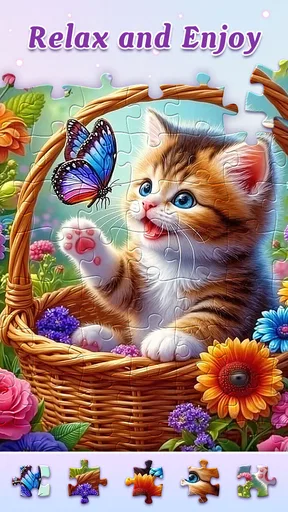
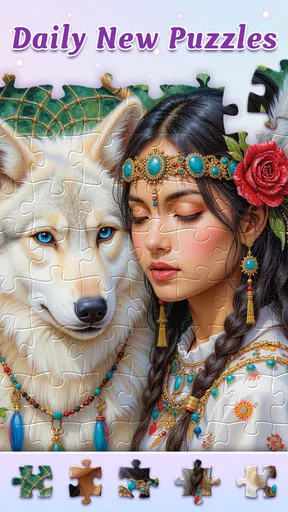
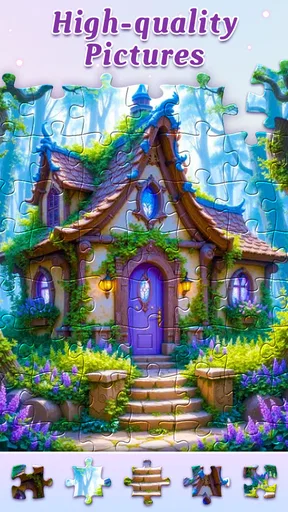
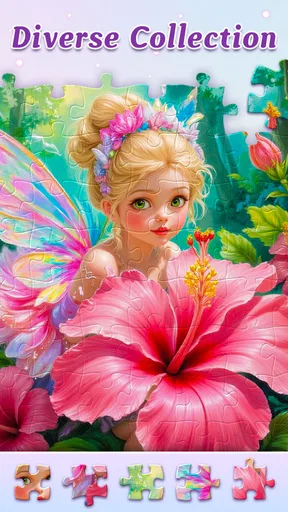
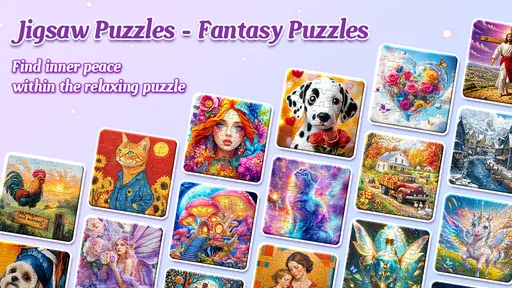
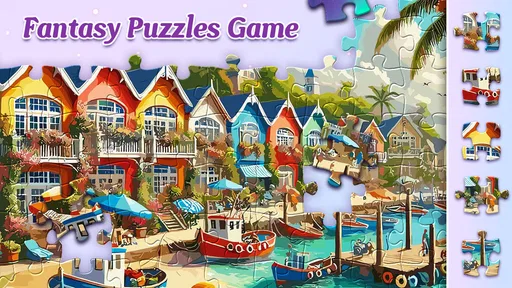
 Analysis by AppCompare
Before installing a jigsaw game, I like to know whether it will let me start quietly and learn by doing, or whether it immediately expects me to manage menus and goals. Jigsaw Puzzles - HD Adventure is presented as a casual puzzle experience, and its appeal is easy to understand: you choose an image, work through its pieces, and can make the task gentler or more demanding. For a first session, I’d treat it as a low-pressure way to see whether digital jigsaws suit you, rather than assuming you need to master every option at once.
What a first-time player can expect
This is a free trivia game from Greyfun Games, with jigsaw puzzles at its center. It has a 4.9 average from around six thousand ratings, and more than 500,000 installs. Those figures suggest that plenty of people have tried it, but they don’t tell me whether its particular style will fit your habits. The more useful question is whether you want a puzzle you can approach at your own pace, with visual choices and adjustable challenge, rather than a fast quiz or a competitive action game.
The game is rated for Everyone, and the current version is 1.2.4. It was released on March 19, 2025, and requires Android 6.0 or later. It is free to install, with optional in-app purchases priced from $6.99 to $69.99 per item. I’d begin without buying anything: first see how the image selection, piece handling, and challenge level feel in an ordinary short session. That gives you a better basis for deciding whether any purchase is worthwhile for your own use.
Getting started without making it a project
When you open it, the practical first move is to pick an image that has clear visual regions. A landscape with a distinct sky and foreground, for example, is easier to read at a glance than a picture made mostly of similar colors. Start with a low piece count if you are new to touchscreen puzzles. The goal is not to prove anything; it is to learn how pieces behave on your screen and whether the controls feel comfortable before you take on a larger board.
For a first success, work from the most recognizable details instead of trying random placements. Find pieces that belong to an obvious edge or a strongly colored feature, then use those small matches to build a section of the image. If you get stuck, the ghost image can give you a visual reference; use it to orient yourself, then return your attention to the piece shapes and colors. That approach keeps the clue helpful without turning the whole solve into a hunt for exact positions.
What the controls change about the experience
The app offers a choice from 9 pieces up to 400, so the same general activity can fit either a quick break or a longer stretch of concentration. I’d raise the count in steps rather than jumping straight to the maximum. More pieces do not simply mean “more fun”: they demand more sorting and make similar colors harder to distinguish, especially on a small phone display. A medium challenge is often a better way to find out whether you enjoy the process than choosing the hardest option immediately.
Dragging and dropping pieces is the core interaction, while zooming, rotating, and changing the background color can help when the board gets visually crowded. A useful habit is to adjust the view before frustration sets in: zoom out to understand the whole composition, then zoom in when matching a small detail. If pale pieces disappear against the current board color, changing the background may improve contrast. These are modest adjustments, but they can make a longer session feel less tiring.
Worth Reading Before You Choose

Baby Panda World Brings Quick Play to Modern Phones, but Its Game Library Feels Busy

ESPN’s Live Game View Makes Following Close Games Easier

QuizzLand Review: A Good Fit for Short Trivia Breaks, Not Every Player

Basketball Stars: Multiplayer Is Fast, but Can It Recover When Matches Go Wrong?

WEBTOON Turns Phone Updates Into a Better Reading Routine

Link to Windows Runs on Shared Habits, Not Social Feeds
The ghost image and timer suit different moods. The image reference is practical when a section stops making sense; the timer adds a personal challenge if you already know the picture and want to compare attempts. I would not use speed as the measure of a good session, though. Rushing can make a relaxing puzzle feel like a test, and a timer is most enjoyable when you choose it deliberately rather than treating it as the point of the game.
When this kind of puzzle is—and isn’t—a good fit
I can see this working well for someone who wants a quiet activity while waiting for an appointment, winding down at home, or taking a short screen break that still gives the mind something to do. For instance, you could choose a small puzzle during a commute on public transport, pause when you reach your stop, and pick it up again when you have time. A larger board makes more sense when you can settle in and focus; trying to squeeze that into a few distracted minutes is likely to feel cumbersome.
Compared with a traditional cardboard jigsaw, a phone version avoids needing a table, physical storage, or space to leave pieces spread out. It also makes it easy to change the image or difficulty. The trade-off is that the screen limits how much of the puzzle you can see at once, and moving pieces by touch is not the same tactile experience as handling cardboard. If you mainly enjoy sorting physical pieces with family around a table, a digital game is not a full replacement. If you prefer a portable solo activity, it has a clearer advantage.
It is also not the right pick if you want trivia questions, rapid rounds, or a strong head-to-head contest. The trivia category label does not change the central activity: this is for assembling pictures, not answering general-knowledge prompts. And if you dislike optional purchase prompts in free games, keep an eye on how the app presents them and decide in advance whether you are comfortable staying with the free experience. The listed price range is broad enough that I would never tap through a purchase without checking the item and amount carefully.
How to make a session feel smoother
I’d use a session break to decide what kind of puzzle you want next, rather than simply increasing the piece count: choose a clear, familiar image when you want an easy restart, and save a more uniform scene for when you have time to concentrate. That small choice can make returning feel inviting instead of like picking up a chore.
Small choices that prevent avoidable frustration
Image choice matters more than it first appears. When you are learning, favor pictures with clear boundaries, varied colors, and recognizable objects. A mostly blue sky or a broad field of similar green can be harder to assemble than a scene with buildings, foliage, and distinct shapes. This is not a flaw in your technique; it is a normal consequence of having fewer visual clues. Once you are comfortable with the controls, choosing a more uniform image can become the challenge rather than a source of needless irritation.
Another useful approach is to decide what you want from the session before choosing the piece count. If you have only a few minutes, pick a small board and treat finishing it as a neat, contained task. If you want to settle in longer, choose a larger puzzle and let progress happen in stages. On a phone, stopping halfway is fine, but it helps to pause at a point where you have completed a recognizable section rather than leaving yourself with a screen full of nearly identical loose pieces.
Rotating pieces can add a little friction, so I would use it when the shape or picture detail gives you a reason, not as an automatic step for every piece. First compare color and edge shape; then rotate only when the orientation is genuinely unclear. That keeps the solve from becoming repetitive tapping. Likewise, zooming is most useful as a switch between two views: the full picture for planning and a closer view for precise placement. Staying zoomed in all the time can make it harder to remember where a piece belongs in the overall scene.
Photos, sharing, and the social side
The option to make puzzles from personal photos gives the game a different use from a library-only jigsaw app. A familiar picture can make a satisfying small challenge, and it may be a thoughtful activity to share with a friend or family member who enjoys the image. I would choose a photo with clear subjects and contrast rather than one dominated by a blank wall, plain sky, or repeated patterns. The more distinct the visual landmarks, the easier it is to turn recognition into a workable puzzle.
The app also describes ways to connect with other puzzle fans, share creations, solve together, and compare results on a leaderboard. That may appeal if you like a social reason to return, but it is not essential to enjoying the basic act of solving. If your preference is private, unhurried play, you can focus on the picture and leave competitive elements aside. If you do enjoy comparison, treat a leaderboard as a prompt for another attempt, not as a fair measure across different image choices or piece counts.
Adventure Mode adds a more directed route through themed worlds and challenges, with new puzzles to unlock as you progress. I’d try it after completing a straightforward puzzle, especially if choosing from a broad image selection leaves you unsure where to begin. A structured path can solve that “what should I play next?” problem. The trade-off is that players who only want to select any image and work at their own pace may find a progression layer unnecessary; there is no need to turn every relaxing session into a checklist.
Understanding rewards and deciding what to keep using
Completing puzzles and challenges earns coins that can be used to unlock content. That gives the game a reason to connect individual solves with longer-term progress, but I’d judge the reward loop by whether it makes you want to continue, not by how quickly you can accumulate anything. If you find yourself choosing puzzles you do not enjoy just to chase a reward, step back and return to the images and difficulty levels that feel satisfying. A puzzle game works best when the solving itself remains worthwhile.
One question a new player may have is whether to begin with the adventure path, a free-choice image, or a custom photo. I’d start with a simple image and a low piece count, because that tests the controls without adding extra goals. Move to Adventure Mode if you want direction, or try a personal image once you know you enjoy the mechanics. Another common uncertainty is whether the timer is required; it is better treated as an optional way to add pressure, not as a prerequisite for completing a puzzle.
There are real trade-offs to keep in mind. A high piece count can be satisfying, but on a small display it can also mean frequent zooming and more effort to distinguish similar fragments. A personal photo makes the puzzle meaningful, but a busy or low-contrast picture may be harder than a curated image. Social features can add motivation, while also distracting from a calm solo session. Knowing which of these matters to you will help you choose a setup that feels enjoyable instead of simply selecting every available challenge.
Discovering the Puzzle Paradise
So, what’s the first thing you notice when you open Jigsaw Puzzles - HD Adventure? It’s gotta be the stunning array of images available. I mean, we’re talking landscapes, animals, abstract art, and more! The app boasts a collection that’s updated regularly, so you’ll never run out of new puzzles to tackle. Each image is in high-definition, making every piece pop with vibrant colors.
One of the features I appreciate is the ability to choose the difficulty level. You can start easy with 9 pieces or crank it up to 400 pieces for a real challenge. It’s like having a puzzle for every mood, whether you’re in a quick-fix kind of mindset or ready for a marathon session.
Smooth Sailing with User-Friendly Features
Now, let’s talk about usability. The interface is super intuitive, so you won’t need a manual to figure things out. Dragging and dropping pieces feels natural, and the app doesn’t lag or glitch, which is a huge plus. I loved how you can zoom in and out, rotate pieces, and even choose your preferred background color to make the pieces stand out more.
One cool feature is the “ghost image” option, which shows a faint version of the completed picture on your board. It’s a lifesaver when you’re stuck on a tricky section. And, if you’re feeling competitive, the app has a timer to track how quickly you can complete each puzzle. It’s a nice touch for those who enjoy a little friendly competition.
Community and Customization
Ever wanted to create a puzzle from your own photos? With this app, you can! Upload your favorite images and turn them into custom puzzles to share with friends. It’s a great way to relive memories in a fun, interactive way.
The community aspect is also worth mentioning. You can connect with other puzzle fans, share your creations, and even solve puzzles together. It adds a social dimension to the app that’s both engaging and motivating. Plus, there’s a leaderboard to see how you stack up against other players worldwide.
Adventure Mode: A Unique Twist
For those who crave a bit more structure, the app offers an Adventure Mode. Think of it as a journey through different worlds, where you unlock new puzzles by completing challenges. It’s a fun way to keep things fresh and gives you a sense of progression as you complete each level. Each world has its own theme, which adds a nice layer of variety to the mix.
The app’s developers have done a commendable job of keeping the experience engaging and rewarding. You earn coins for completing puzzles and challenges, which you can use to unlock new content. It’s a clever way to keep players coming back for more.
Final Thoughts
So, is Jigsaw Puzzles - HD Adventure worth a download? Absolutely! It’s a well-crafted app that caters to both casual players and hardcore puzzle fans. The stunning visuals, combined with the smooth gameplay and variety of features, make it a compelling choice.
Whether you’re looking to relax after a long day or sharpen your problem-solving skills, this app has something for everyone. Plus, with the ability to create your own puzzles and engage with a global community, it offers more than just a solitary experience.
Ready to embark on your own puzzle adventure? Head over to the app store and give Jigsaw Puzzles - HD Adventure a try. Happy puzzling!
Pros
- High-quality HD images enhance puzzle experience.
- Wide variety of categories keeps it engaging.
- Regular updates with new puzzles available.
- User-friendly interface for smooth navigation.
- Offline mode available for uninterrupted play.
Cons
- In-app purchases can become costly over time.
- Limited free puzzles before requiring purchase.
- Occasional ads disrupt gameplay experience.
- Some puzzles may be too challenging for beginners.
- Requires significant storage space on device.
FAQs for Jigsaw Puzzles - HD Adventure
What is Jigsaw Puzzles - HD Adventure?
Jigsaw Puzzles - HD Adventure is a mobile app offering a vast collection of high-definition jigsaw puzzles. Designed for both casual and avid puzzle enthusiasts, it provides a relaxing and engaging experience with a variety of themes and difficulty levels. Users can enjoy solving puzzles anytime, anywhere on their Android or iOS devices.
Is Jigsaw Puzzles - HD Adventure free to download and play?
Yes, Jigsaw Puzzles - HD Adventure is free to download and play. However, it offers in-app purchases for additional puzzle packs and features. These purchases are optional, but they can enhance your experience by providing more challenging puzzles or removing ads.
What features does Jigsaw Puzzles - HD Adventure offer?
Jigsaw Puzzles - HD Adventure includes features like a wide selection of HD puzzles, varying difficulty levels, and a user-friendly interface. It also offers daily challenges, a preview mode to help solve puzzles, and the ability to create custom puzzles from your photos, making it versatile and engaging.
Can I play Jigsaw Puzzles - HD Adventure offline?
Yes, Jigsaw Puzzles - HD Adventure can be played offline once the puzzles are downloaded. This feature is particularly useful for users who want to enjoy the game without an internet connection, such as during travel or when internet access is limited.
What are the benefits of playing Jigsaw Puzzles - HD Adventure?
Playing Jigsaw Puzzles - HD Adventure can improve cognitive skills, such as problem-solving and attention to detail. It offers a relaxing and stress-relieving experience, making it a great way to unwind. Additionally, it can be a fun family activity, suitable for all ages.


